Unlock Unbeatable Savings: Your Cyber Monday Gaming Computer Strategy
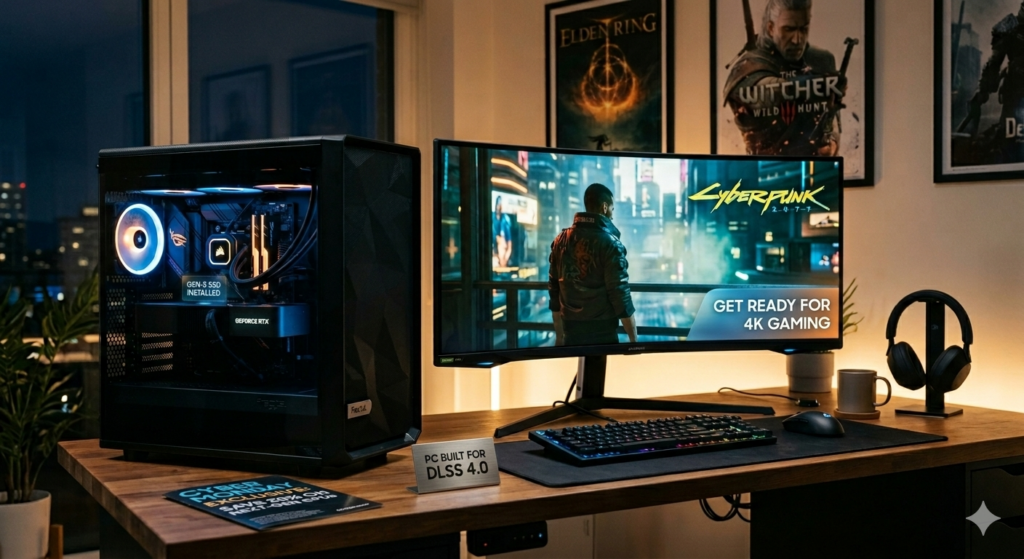
Cyber Monday is more than just a shopping event; for gamers, it’s a golden opportunity to upgrade their rig without breaking the bank. The sheer volume of deals can be overwhelming, but with a clear strategy, you can navigate the discounts and emerge with a powerful gaming computer that meets your needs and budget. This guide is your roadmap to scoring the best Cyber Monday gaming computer deals, ensuring you get the most value for your hard-earned money.
Why Cyber Monday is a Gamer’s Dream
Retailers understand that the holiday season is a crucial period for sales, and gaming computers are a hot commodity. To attract buyers and clear inventory, they roll out some of their most aggressive discounts of the year. This means you can often find significant price drops on pre-built systems, custom configurations, and even individual components that allow for a DIY build. The competition among retailers also drives down prices, creating a buyer’s market.
Setting Your Budget and Needs: The Foundation of a Smart Purchase
Before you even start browsing, the most critical step is defining your budget and understanding your gaming needs.
Defining Your Budget
- Be Realistic: Determine how much you can comfortably spend. Remember to factor in potential costs for peripherals like a monitor, keyboard, and mouse if you don’t already have them.
- Consider Value: The cheapest option isn’t always the best. Look for deals that offer a good balance of performance and price. Sometimes, spending a little more upfront can save you from needing an upgrade sooner.
Assessing Your Gaming Needs
- Game Types: What kind of games do you play? Esports titles like League of Legends or Valorant have lower hardware requirements than graphically intensive AAA games like Cyberpunk 2077 or Elden Ring.
- Resolution and Refresh Rate: Do you aim for 1080p gaming at 60Hz, or are you looking for a smoother 1440p or 4K experience with high refresh rates (120Hz+)? This significantly impacts the GPU you’ll need.
- Future-Proofing: While impossible to perfectly future-proof, consider components that will remain relevant for at least a few years. This might mean opting for a slightly more powerful CPU or GPU than you currently need.
Decoding the Specs: What to Look For in a Gaming Computer
Understanding the key components of a gaming computer is essential to making an informed purchase. Cyber Monday deals will often highlight these specs, so knowing what they mean will help you compare options effectively.
The Heart of the Machine: CPU and GPU
- Central Processing Unit (CPU): The CPU handles game logic, AI, and other background processes.
- Intel: Look for Core i5, i7, or i9 processors from recent generations (e.g., 12th, 13th, or 14th Gen). For most gamers, a Core i5 offers excellent performance for the price.
- AMD: Ryzen 5, Ryzen 7, or Ryzen 9 processors are the equivalents. Ryzen 5 is a strong contender for budget to mid-range builds, while Ryzen 7 and 9 offer higher core counts and clock speeds for demanding tasks.
- Graphics Processing Unit (GPU): This is arguably the most critical component for gaming performance, as it renders the visuals.
- NVIDIA: GeForce RTX series (e.g., RTX 3060, 3070, 3080, 4060, 4070, 4080, 4090) are popular. Higher numbers generally indicate better performance.
- AMD: Radeon RX series (e.g., RX 6600 XT, 6700 XT, 6800 XT, 7700 XT, 7800 XT, 7900 XT/XTX).
- Key Specs: VRAM (Video RAM) is crucial. 8GB is a minimum for modern gaming, with 12GB or 16GB being ideal for higher resolutions and settings.
Memory and Storage: Speed and Capacity Matter
- RAM (Random Access Memory): This is where your system stores data for currently running applications.
- Capacity: 16GB is the standard for modern gaming. 32GB is beneficial for multitasking, streaming, or very demanding games.
- Speed: DDR4 is common, but DDR5 is becoming the standard for newer systems. Faster RAM can offer minor performance boosts.
- Storage: Where your operating system, games, and files are stored.
- SSD (Solid State Drive): Essential for fast boot times and game loading. NVMe SSDs are significantly faster than SATA SSDs.
- Capacity: A 500GB SSD is a minimum, but 1TB or larger is highly recommended given the increasing size of game installations. A secondary HDD (Hard Disk Drive) can be a cost-effective way to add mass storage for less frequently accessed files.
Motherboard, Power Supply, and Cooling: The Supporting Cast
- Motherboard: Connects all components. Ensure it’s compatible with your chosen CPU (socket type) and RAM (DDR4/DDR5). Look for features like sufficient USB ports and Wi-Fi if needed.
- Power Supply Unit (PSU): Provides power to all components. It’s crucial to have enough wattage for your system, with some headroom for upgrades. Look for 80 Plus Bronze, Gold, or Platinum certification for efficiency and reliability.
- Cooling: Gaming components generate heat.
- CPU Cooler: Stock coolers are often basic. Aftermarket air coolers or AIO (All-In-One) liquid coolers offer better thermal performance, allowing your CPU to run at optimal speeds.
- Case Fans: Ensure your computer case has adequate airflow with multiple intake and exhaust fans.
Pre-built vs. Custom Build: Which is Right for You on Cyber Monday?
Cyber Monday offers deals on both pre-built gaming PCs and components for custom builds. Each has its advantages.
Pre-built Gaming Computers: Convenience and Potential Savings
- Pros:
- Ready to Go: Out of the box, plug it in, and start gaming.
- Warranty: Typically comes with a full system warranty.
- Bundled Deals: Often include operating system and sometimes even peripherals.
- Potential for Deep Discounts: Manufacturers and retailers often heavily discount pre-built systems to move inventory.
- Cons:
- Component Compromises: Retailers might cut corners on less visible components like the PSU, motherboard, or RAM speed to hit a price point.
- Limited Customization: You’re generally stuck with the configuration offered.
- Bloatware: Often come with pre-installed software you may not want.
- What to Look For:
- Reputable Brands: Dell (Alienware), HP (Omen), Lenovo (Legion), ASUS (ROG), MSI, CyberPowerPC, iBUYPOWER.
- Clear Component List: Don’t buy if they don’t list the specific CPU, GPU, RAM, and storage.
- Good GPU/CPU Balance: Ensure the graphics card is appropriately powerful for the CPU.
Custom Builds: The Ultimate Control and Value (If You DIY)
- Pros:
- Tailored to Your Needs: You choose every single component.
- Best Value for Money: You can often get more performance for the same price by picking components yourself, especially during sales.
- Upgradeability: Easier to upgrade individual parts later.
- Learning Experience: Building a PC is a rewarding skill.
- Cons:
- Time and Effort: Requires research, purchasing individual parts, and assembly.
- Troubleshooting: If something goes wrong, you need to diagnose it yourself.
- Warranty: Each component has its own warranty, not a single system warranty.
- What to Look For:
- Component Sales: Cyber Monday is perfect for snagging individual components (GPUs, CPUs, SSDs) at a discount.
- Compatibility: Use PCPartPicker.com to ensure all your chosen parts are compatible.
Navigating Cyber Monday Deals: Tips for Success
The deals can be fierce, and popular items sell out fast. Here’s how to maximize your chances of snagging a great gaming computer.
Research Before the Sale
- Identify Target Models/Components: Know which specific CPUs, GPUs, or pre-built systems you’re interested in.
- Check Current Prices: Understand the typical price range for the hardware you want. This helps you spot a genuine deal versus a minor price fluctuation. Use price tracking tools if available.
- Read Reviews: Look for reviews of the specific pre-built models or components you’re considering.
Be Ready on Cyber Monday
- Create Accounts: Have accounts set up with major online retailers (Amazon, Best Buy, Newegg, etc.) with your payment information saved for faster checkout.
- Bookmark Deals: If retailers release Black Friday/Cyber Monday ads early, bookmark the specific product pages for items you want.
- Act Fast: High-demand items, especially GPUs and complete gaming PCs, will sell out within minutes or hours. Be prepared to click “buy” as soon as you see a deal you like.
- Consider Different Retailers: Deals can vary significantly. Check multiple sites throughout the day.
Don’t Forget Peripherals and Upgrades
- Monitors: A high refresh rate monitor (120Hz+) is crucial to fully appreciate the power of a new gaming PC. Cyber Monday often has deals on these.
- Keyboards and Mice: Mechanical keyboards and gaming mice can enhance your experience.
- Headsets: Good audio is vital for immersion and communication.
- Storage Upgrades: If a deal comes with a smaller SSD, consider buying a larger one separately during the sale.
Common Pitfalls to Avoid
Even with the best intentions, it’s easy to fall into common traps when hunting for deals.
Pitfall 1: The “Too Good to Be True” Deal
- Problem: Extremely low prices on high-end components or systems often indicate refurbished, used, or counterfeit products, or simply a scam.
- Solution: Stick to reputable retailers and brands. If a deal seems impossibly low, it probably is. Check the seller’s reputation if buying from a marketplace.
Pitfall 2: Overpaying for Aesthetics
- Problem: Excessive RGB lighting, flashy cases, or brand names can inflate the price without adding significant performance.
- Solution: Prioritize the core components (CPU, GPU, RAM, SSD). You can always add RGB later if desired.
Pitfall 3: Ignoring PSU Quality
- Problem: A cheap, low-quality power supply can be unstable, damage other components, or fail prematurely.
- Solution: Always check the PSU wattage and efficiency rating (80 Plus Bronze or higher is recommended). If a pre-built doesn’t specify the PSU brand/model, be wary.
Pitfall 4: Bottlenecking
- Problem: Pairing a very powerful GPU with a weak CPU (or vice-versa) means one component will hold back the other, leading to suboptimal performance.
- Solution: Research CPU/GPU pairings. For example, a high-end RTX 4090 needs a powerful CPU like a recent i7/i9 or Ryzen 7/9 to perform at its best.
The Future of Gaming PCs and Cyber Monday Trends
As technology advances, so do gaming PCs. Cyber Monday reflects these trends.
Emerging Technologies
- AI Integration: AI is increasingly used in games for better NPCs and world generation. Future PCs might leverage AI hardware more directly.
- Ray Tracing: This technology provides more realistic lighting and reflections, demanding more powerful GPUs. Expect deals on GPUs that excel at ray tracing.
- Faster Storage: PCIe 5.0 SSDs are starting to appear, offering even faster load times, though their real-world gaming impact is still debated.
What to Expect in Cyber Monday Deals
- Focus on Mid-Range: While high-end deals exist, the sweet spot for Cyber Monday savings is often in the mid-range segment (e.g., RTX 4060/4070, Ryzen 5/7, Core i5/i7). These configurations offer a great balance of performance and affordability for the majority of gamers.
- Bundles: Expect more bundles including games, software, or peripherals with pre-built systems.
- Component Sales: GPUs, CPUs, and SSDs will likely see significant discounts, making it an excellent time for DIY builders.
Conclusion: Your Cyber Monday Gaming Computer Triumph
Cyber Monday presents an unparalleled opportunity for gamers to upgrade their setup. By understanding your needs, researching components, being prepared, and avoiding common pitfalls, you can secure a powerful gaming computer at a fraction of its usual cost. Don’t let the excitement of the sale lead to an impulsive purchase; a little planning goes a long way.
Key Takeaways for Cyber Monday Gaming PC Shopping:
- Define Your Budget and Needs: Know exactly what you want to achieve and how much you can spend before browsing.
- Prioritize GPU and CPU: These are the most critical components for gaming performance. Research compatible and balanced pairings.
- Be Ready to Act Fast: Popular deals disappear quickly. Have your accounts and payment information ready.
Happy hunting, and may your Cyber Monday be filled with incredible gaming computer deals!
답글 남기기